You keep your own number. With call forwarding, calls you don't answer go to RingPilot. You switch it on and off on the phone itself.
Open Call forwarding on your mobile phone
Open the RingPilot app or app.belbuddy.eu on the phone whose number you want to forward. Choose Settings and then Turn call forwarding on or off.
Choose when RingPilot answers
When I don't answer: your phone rings as normal first. This is what we recommend. Always: your phone doesn't ring, which is handy when you're on holiday.
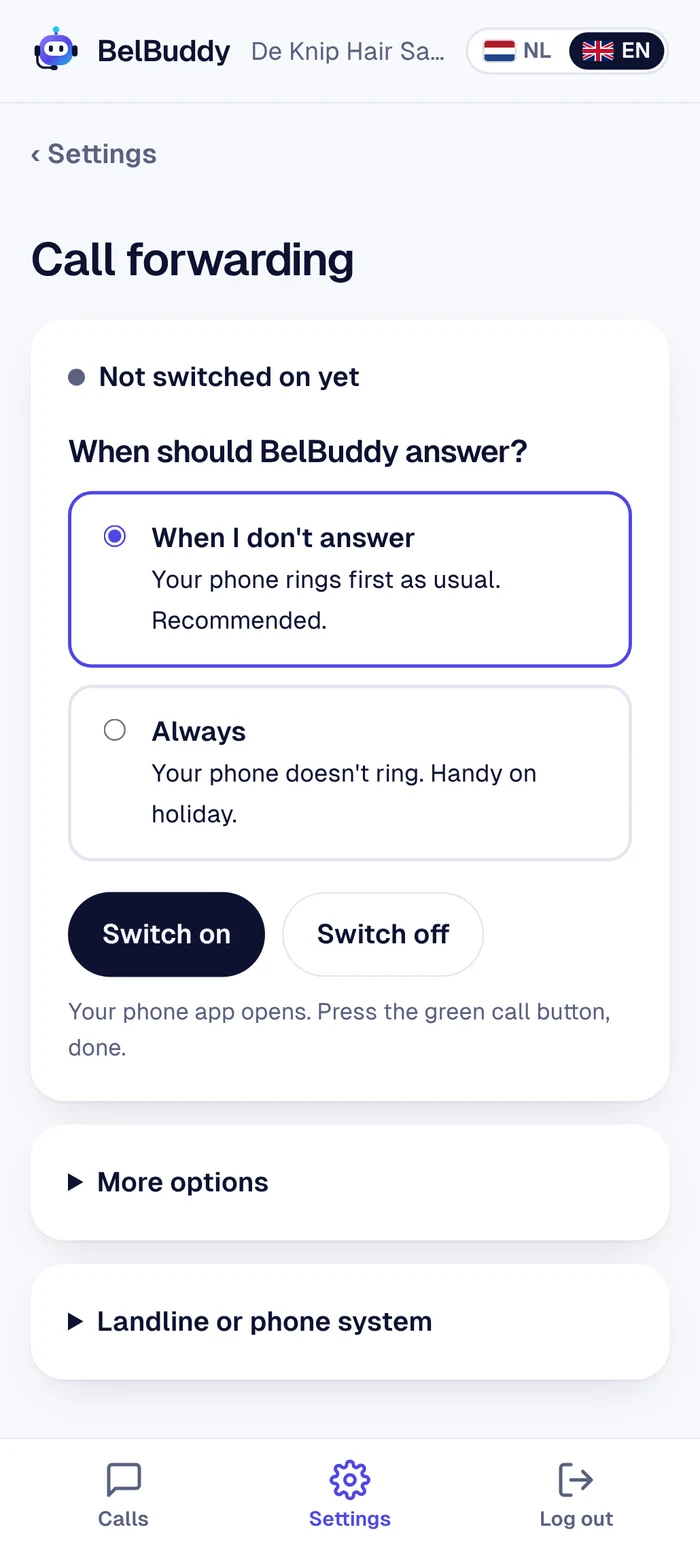
Tap Turn on
Android: your phone app opens with the code already filled in. Press the green call button.
iPhone: the code is copied. Open Phone, press and hold the number field, choose Paste and press call.You'll hear or see a confirmation from your provider. Done.
Turning it off
Tap Turn off. All your call forwarding is then switched off and your phone works as it always did.
More options
Under More options you can set how long your phone rings first (5 to 30 seconds) and check whether call forwarding is switched on. Prefer to dial it yourself? Then use these codes with your RingPilot number:
| When I don't answer | **004*your RingPilot number# |
|---|---|
| Always | **21*your RingPilot number# |
| Only when there's no answer | **61*your RingPilot number# |
| Only when you're on a call | **67*your RingPilot number# |
| Only when your phone is off or has no signal | **62*your RingPilot number# |
| All off | ##002# |
These codes work with most Dutch providers. After dialling, press the call button; your phone shows whether it worked.
Landline or phone system
Does your business have a phone system (for example 3CX, Teams, Voys or KPN ÉÉN) or a landline? Then you set up call forwarding there, not on your mobile. See Forwarding calls from your phone system or landline.
Need help?
Email [email protected] or ask your question in the chat at the bottom right. We are happy to help, including with the setup.